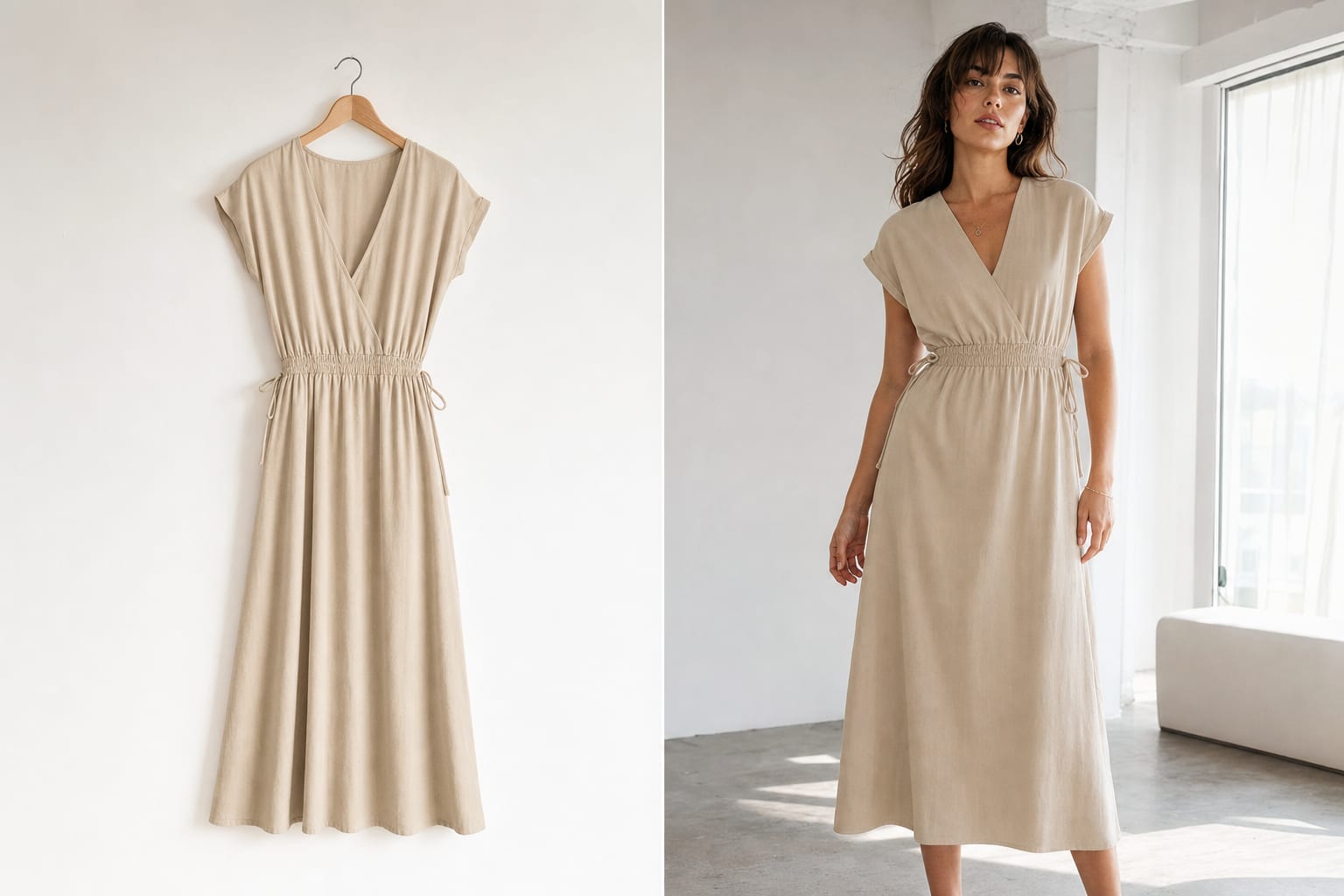
In the apparel category, on-model listings sell noticeably better than photos of a garment on a hanger or a mannequin: the buyer immediately sees the fit, the length and how the fabric behaves in motion. But a model shoot means a model, a studio, a photographer and serious money per session. The “Clothes on an AI model” tool in Photolyx solves it differently: you upload a photo of the garment — the AI “dresses” a realistic model in it.
How it works
- Upload a photo of the garment — a shot on a hanger, a mannequin or a flatlay all work.
- Pick the model's look: gender, age, appearance — to match your target audience.
- Pick the pose: front-facing for the main photo, three-quarter, or in motion — for gallery slides.
- Generate several variants and take the best one into your listing.
The look and pose choice is what separates a deliberate listing from a random one: the same garment converts better on a model your audience recognizes as “their own”.
How to pick the look for your audience
- Look at your sales stats. If the dress is bought by women 35–45, don't put a twenty-year-old model on the cover: the buyer should “see herself”.
- Study the top of the search results. Open your niche's bestsellers and see which models are on their covers. The Product cards tool does this analysis automatically for Wildberries.
- One look across the catalog. A series of listings with the same model reads as a brand, not a random store.
Poses: the main photo and the slides
For the main photo a static front or three-quarter pose works best — the garment is fully visible and the silhouette reads even in a small search thumbnail. On gallery slides add motion: a step, a turn, hands in pockets — the buyer sees the fit from all sides, like in a fitting room.
Common mistakes
- A wrinkled garment in the source photo. The AI will transfer the wrinkles too. Steam the garment before shooting — it's the only “manual” step in the whole process.
- A cropped garment photo. If the hem isn't visible in the source, the model gets an “imagined” hem. Shoot the garment in full.
- A random background. After generation, run the shot through photo editing: the studio look or an AI background makes the series consistent.
What it costs
One “clothes on a model” generation costs a few dozen lyx (1 lyx = $0.01) — orders of magnitude cheaper than a model shoot. New users get 100 lyx free with Yandex or VK ID sign-in (with email — after an account check), no card required: enough to try the tool on your own product.