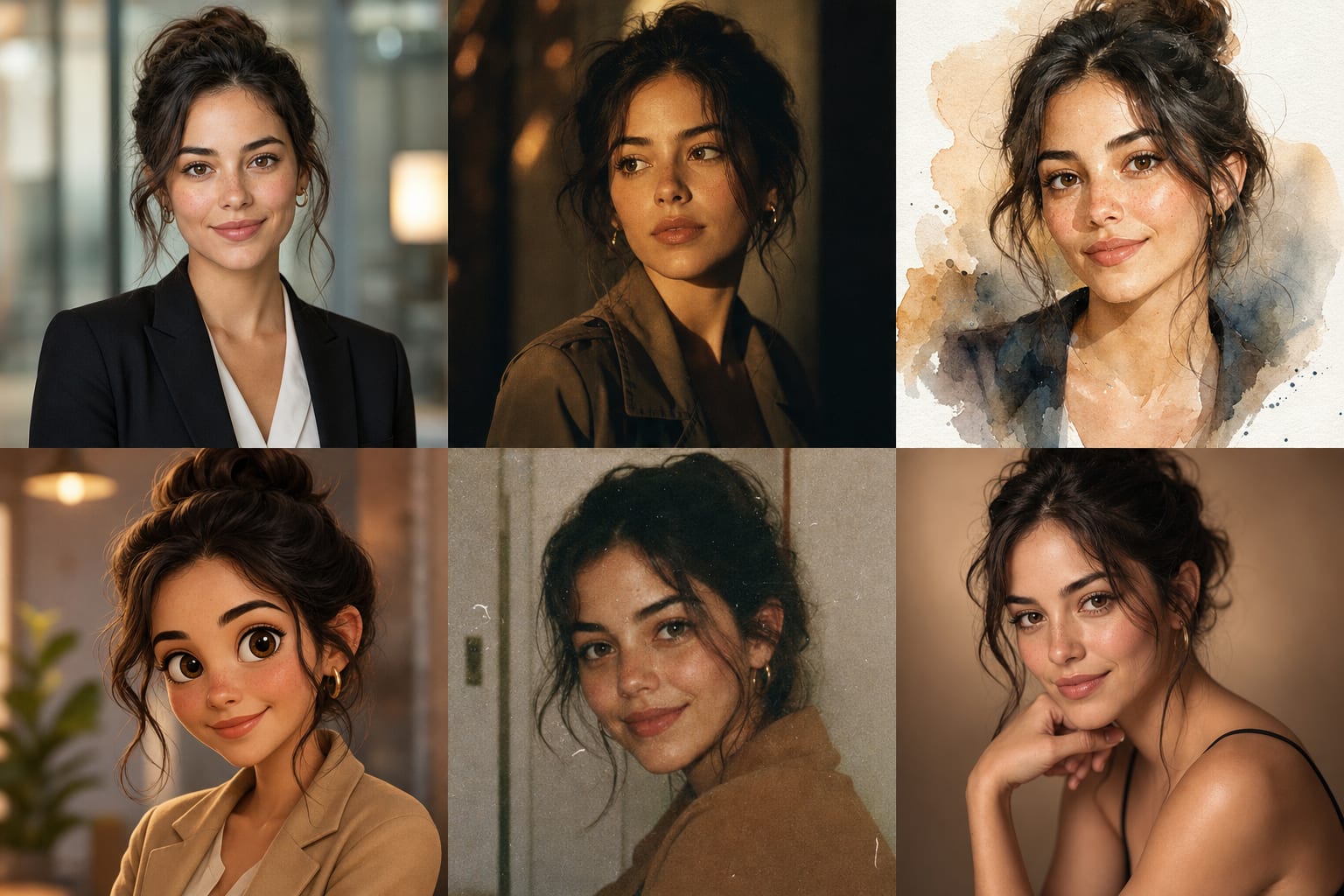
A good portrait photoshoot means a studio, a photographer, a make-up artist and half a day of your time. AI portraits solve the same problem in a minute: you upload one selfie and get a series of portraits in different styles — with your face, but “shot” the way magazines, resumes and avatars are shot.
What you can make from one selfie
- A business headshot — a sharp portrait in a blazer against a blurred office background. Exactly what a resume, LinkedIn or a company website needs.
- A cinematic frame — dramatic light, deep shadows, movie-still atmosphere.
- Glamour and studio — soft light, a clean backdrop, a “glossy” presentation.
- Watercolor and retro — artistic styles: a painted portrait or a grainy photo “from the 90s”.
- A cartoon avatar — a recognizable character in cartoon style for social profiles and messengers.
In Photolyx you can pick several styles at once — the AI generates all the variants in a single run.
The time machine, hairstyles and other experiments
Beyond styles, the Portraits tab has experiment tools:
- Time machine — shows how you looked at 20 or will look at 60. It works gently: the age changes, the person doesn't.
- Hairstyle and hair color — try a bob, long hair or platinum blond before the salon.
- Beard and glasses — a quick way to see yourself in a new look and decide (or change your mind).
- Figure — a careful silhouette adjustment in the photo.
Why the portrait still looks like you
Everyone shares the same fear: “it'll be a beautiful portrait — of someone else.” Modern generation models use what's called an identity lock: facial features are pinned and carried into the new style unchanged. Photolyx applies it in every portrait tool: the light, clothes, background and mood change, but the face stays yours.
What it costs
New users get 100 lyx free with Yandex or VK ID sign-in (with email — after an account check) (no card required) — enough for the first portraits. After that you only pay for what you create: 1 lyx = $0.01.
The full feature list is on the AI portraits page. And if you want to present the results nicely, see the guide to collages and film filters — they're free in Photolyx.